arkanaos package manager
/blog/arkanaos-package-manager/i’m gonna be quite short with this one because i don’t have much to write, but i just wanted to share this and my current project.
and oh btw before i proceed, i do wanna mention that i wrote this blog post by myself and no ai is writing this. however, the package manager i wrote is made 100% using ai, which i will give reasons for later on.
so i have been discussing with celunah about arkanaOS because it’s quite empty and unmaintained. i was gonna ask him if i could contribute to the project because, well, i wanted to learn something and do something else instead of just working on my nothing x for pc.
i checked some of the repositories, and i saw the arkpkg repo was empty. so i asked him if i could contribute or make the baseline of the arkanaOS package manager, and he replied literally with:

also here is the entire chat log, so that you can understand the situation, but i will explain some other things in my own words later:
debarkak (11:10 PM): https://github.com/arkana-team/arkpkg
debarkak (11:10 PM): also should i make it for you?
Luna (11:19 PM): Hell if I know, go for it
debarkak (11:30 PM): idk how i should build it but ill try ig
Luna (11:33 PM): the package manager basically was supposed to install specific ARKPKG packages which is why the makefiles are split into numbered packs
Luna (11:33 PM): so each one would be its own package
debarkak (11:33 PM): basically like how arch package manager works?
Luna (11:34 PM): yeah but the intended format is a custom .ark format which just wraps .tar.lz4 into a custom container with magic bytes
debarkak (11:35 PM): the .ark format will contain a compressed of the package files and the information?
debarkak (11:36 PM): and also do you want to set a custom install directory of every package, or should the install directory should be specified inside the .ark file?
Luna (11:37 PM): it probably should contain a file manifest so it knows where to add or remove files
debarkak (11:38 PM): there will be a dataset in /etc/arkpkg/package.db where it will contain all installed packages directory
Luna (11:40 PM): okay makes sense
debarkak (11:41 PM): and also in /etc/arkpkg, there will also contain<package name>.arkwhere it will contain information list and all for each package
debarkak (11:41 PM): and it will contain even inside the the .arkpkg compressed install file
Luna (11:50 PM): Good idea
Luna (11:50 PM): I wonder how good will it be
debarkak (11:50 PM): lets see
Luna (11:51 PM): I don’t need this right now, so you have no deadlines. Just do it whenever you feel like.
debarkak (11:51 PM): yes ill start when my tokens come back
all times in this chatlog are in GMT+5:30, whereas his timezone is GMT+2.
now you might be wondering why i said “ill start when my tokens come back”. that’s because if you go to arkpkg’s repo, before i made any changes, there was this written in the README.md file:
Any code you find here has been likely generated by AI.
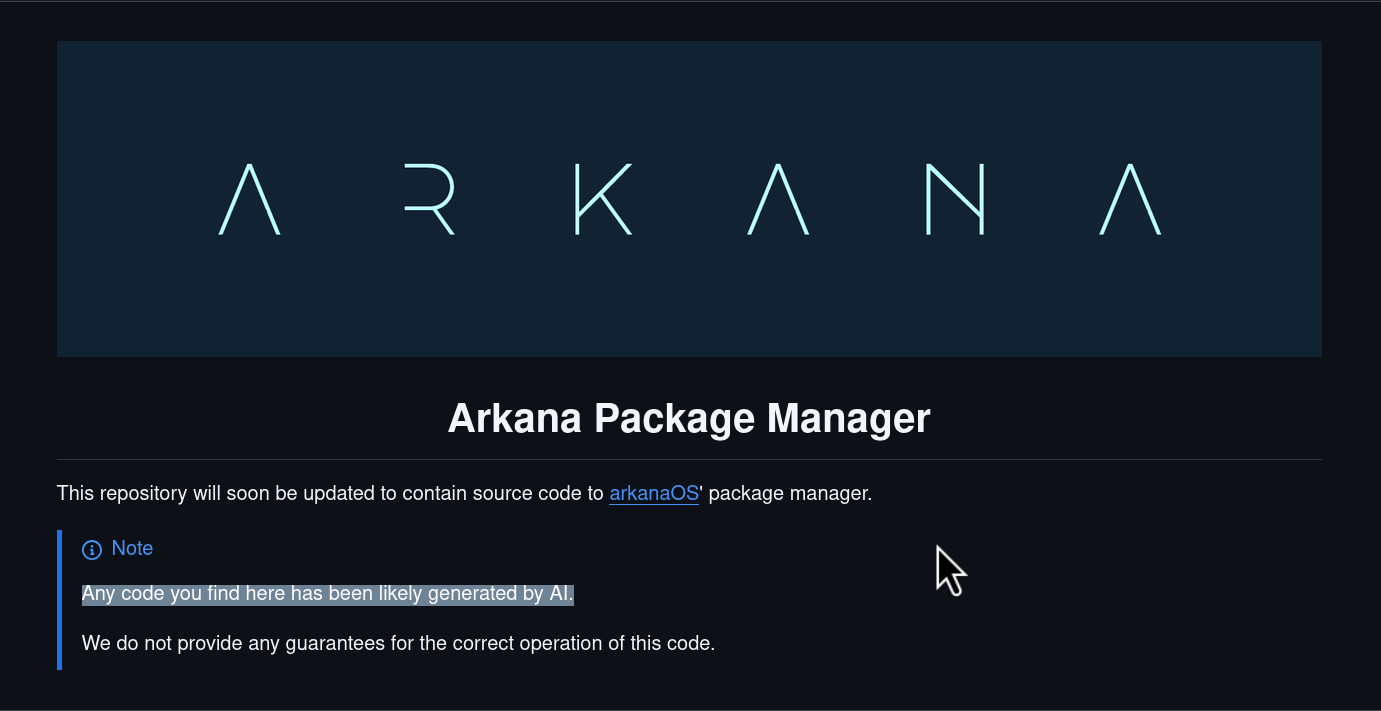
because of this, i thought of using ai to build the complete base of the package manager. for now, as i plan to write code manually by hand at a later time, ai it is—but all the planning and architecture were done by me and luna.
for starters, what i have changed from luna’s original idea is the magic bytes and custom container.
as many people will say, creating a custom format from scratch isn’t usually a great idea. it would’ve made development much more difficult too. instead, i chose a much simpler approach: an .ark package is just an lz4-compressed tar archive with the file extension changed to .ark. (i just wanted to be more lazy when i maintain this manually in the future)
i have decided on the following architecture.
the goal was to keep everything as simple and transparent as possible. every database is plain text, and the package format itself is based on existing standards instead of a custom binary format.
/etc/arkpkg/package.db
list of installed packages
/etc/arkpkg/packages/<package>.arkinfo
installed package information
<package>.tar.lz4
actual package archive
.ark
renamed lz4 extension for the lz4-compressed tar archive
it’s very simple stuff. there’s no config file, no repository or pacman -Sy type things, or anything like that—this is simply a package manager that can install, remove, list, and search installed packages. that’s it.
in my design, the contents of the .ark file are also very simple. let me show an example with bash-5.3.0-x86_64:
bash-5.3.0-x86_64.ark
│
└── lz4 container
    │
    └── tar Archive
        │
        ├── ARKPKG
        │
        └── package/
            │
            ├── usr/
            │   ├── bin/
            │   │   ├── bash
            │   │   └── rbash
            │   │
            │   └── share/
            │       └── ...
            │
            ├── etc/
            │   └── bash.bashrc
            │
            └── var/
this is very simple stuff, let me explain.
the ARKPKG file contains just the metadata of the package, here’s an example that i just made (not actually the format but very close):
Name: bash
Version: 5.3.0
Release: 1
Arch: x86_64
License: GPL-3.0-or-later
Homepage: https://www.gnu.org/software/bash/
Description: GNU Bourne Again SHell
Dependencies:
    glibc>=2.42
Provides:
    sh
Conflicts:
    busybox
very simple stuff. it just shows the information about the package and its required info like dependencies, etc.
and after installation, inside /etc/arkpkg/packages/, it will generate <package name>.arkinfo which will contain the information below (again, i just wrote an example file, not the real one):
Name: bash
Version: 5.3.0
InstalledAt: 2026-07-30T15:42:19Z

Files:
/usr/bin/bash
/usr/bin/rbash
/etc/bash.bashrc

Checksums:
4fd0...  /usr/bin/bash
73ab...  /usr/bin/rbash
8cf2...  /etc/bash.bashrc
which will contain the usual details like name, version, when it was installed, what files it installed, where it installed them, and the checksums of the files. usual stuff.
so the complete flow becomes:
bash-5.3.0-x86_64.ark
        │
        ▼
LZ4-compressed TAR archive
        │
        ├── ARKPKG          ← metadata
        └── package/        ← filesystem to install
             ├── usr/
             ├── etc/
             ├── var/
             └── ...
i like this approach because it’s very simple and anyone can inspect it with standard tools:
mv bash-5.3.0-x86_64.ark bash.tar.lz4
lz4 -d bash.tar.lz4 bash.tar
tar -tf bash.tar
or even with one command:
lz4 -dc bash-5.3.0-x86_64.ark | tar -tvf -
no custom unpacker is required just to inspect the contents, which makes it very simple. it will also be easy to maintain in the future when i start making changes to the code by hand (lazy mode once again lol, i mean it would be cool to make something custom, but not for me right now).
i was thinking about what language to use. python? go? or c? python is too slow imo, go is good but too heavy (40mb binary). so i chose rust—it’s fast, safe, and easy to use. i already know the language so i can manually update the code very easily, plus i’ve always wanted to use rust more often (other than librepods, which i stopped contributing to).
the next day—since it was getting late, i slept—i woke up and forked the arkpkg main branch repo, fired up my antigravity IDE (yes i use antigravity, it’s easy for my dumb autistic brain to use and it’s technically cheaper than codex), cloned my repo, and started working on it.
now i don’t wanna dump all the conversation logs here, but i’ll show you the prompt i gave the ai to start with. you can figure out the rest (which is just a lot of conversation) yourself—it’s pretty straightforward. there were more prompts, but i shortened it down to this:
I want you to build a package manager for arkanaOS, let’s call it arkpkg, it’s a package manager that can install, remove, list and search installed packages, it’s very simple stuff, there’s no config file, there’s no repository or
pacman -Sytype things, or anything like that, this is simply a package manager that can install, remove, list and search installed packages. That’s it.The .ark package format is a lz4-compressed tar archive with the file extension changed to .ark. The archive contains a folder named package/ which contains the filesystem to install, and a file named ARKPKG which contains the metadata of the package.
The ARKPKG file contains the following information:
Name: package name
Version: package version
Release: package release
Arch: package architecture
License: package license
Homepage: package homepage
Description: package description
Dependencies: list of dependencies
Provides: list of provides
Conflicts: list of conflictsThe package manager will create the following files:
/etc/arkpkg/package.db - list of installed packages
/etc/arkpkg/packages/.arkinfo - installed package information The package manager should support the following commands:
arkpkg install
- install a package
arkpkg remove- remove a package
arkpkg list - list all installed packages
arkpkg search- search for a package
there were a lot more prompts than here, but i just shortened it down to this. you can tweak the prompt to your liking.
my Claude and GPT tokens were still empty, but my Gemini tokens were full, so i used Gemini 3.1 Pro (High) for the initial planning and processing of the prompts. then i switched to Gemini 3.6 Flash (High) for the actual building.
hot tip: Gemini 3.6 Flash is better than 3.1 Pro—idk how this makes sense, but it is. still not as good as sonnet 4.6 though.
so after i told it to GO and it began building everything and testing everything with the bash package inside a barebones archlinux VM, it took about 39 mins. when it finished, i took a glance at the code and tbh it was far better code than what 3.1 Pro generates.
i cleared up some bits while digging through the code. after that, i decided to also use AI to write the pull request message for the project as well because i was THAT lazy. i knew the code and how it worked, so i would have been able to write the PR description myself, but i chose not to and used AI.
https://github.com/arkana-team/arkpkg/pull/1
anyways, i published the PR and told gemini to write an AI usage warning on top, and it did:

it wrote the entire PR very well and detailed:
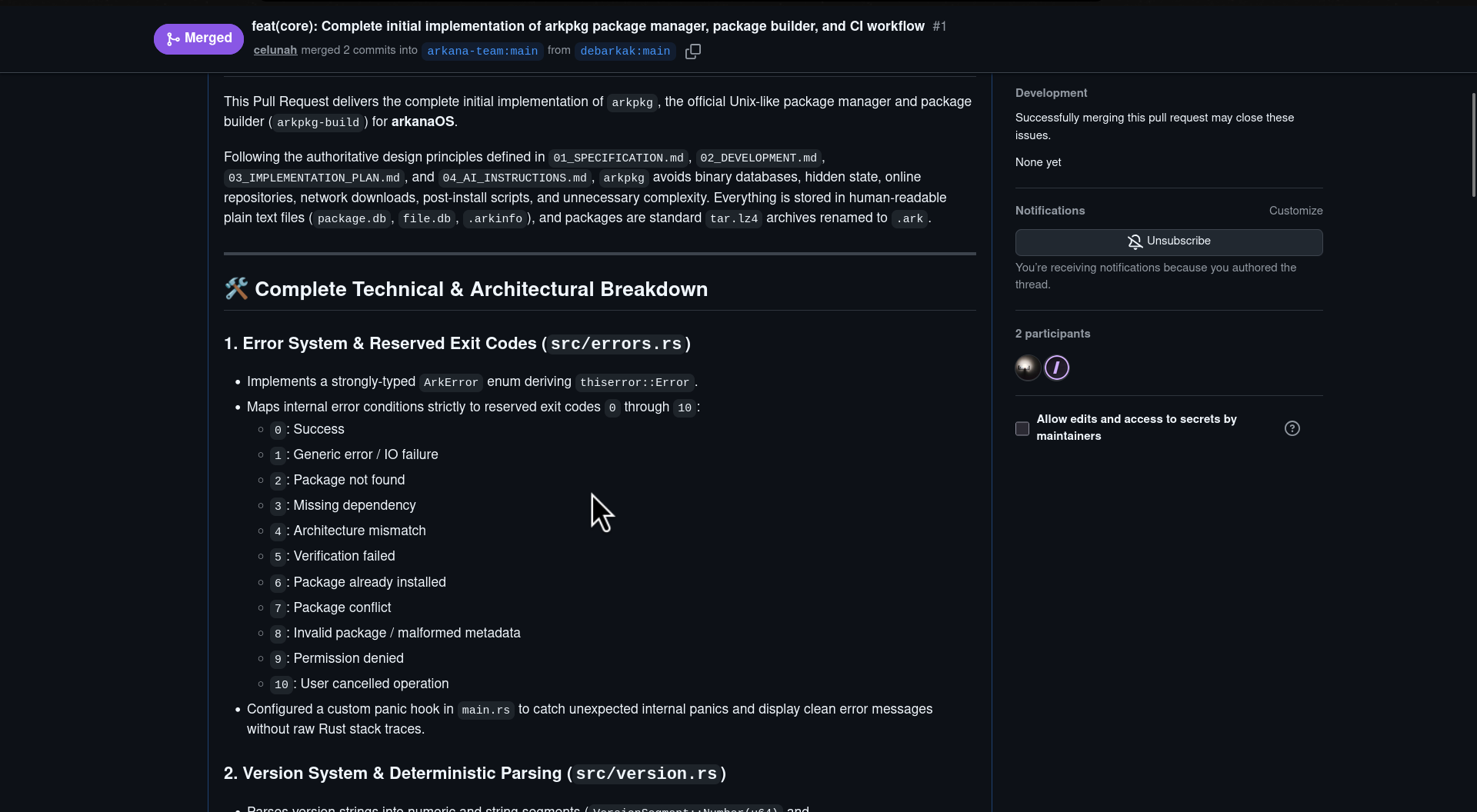
and after publishing the PR, i instantly pinged luna and commented:
@celunah i made it with ai cuz the readme literally says that it will be made using ai, so i just made this with ai too, else i would have written it by hand
and just after a few hours, he replied with:
Well, I don’t mind at all. It can just go.
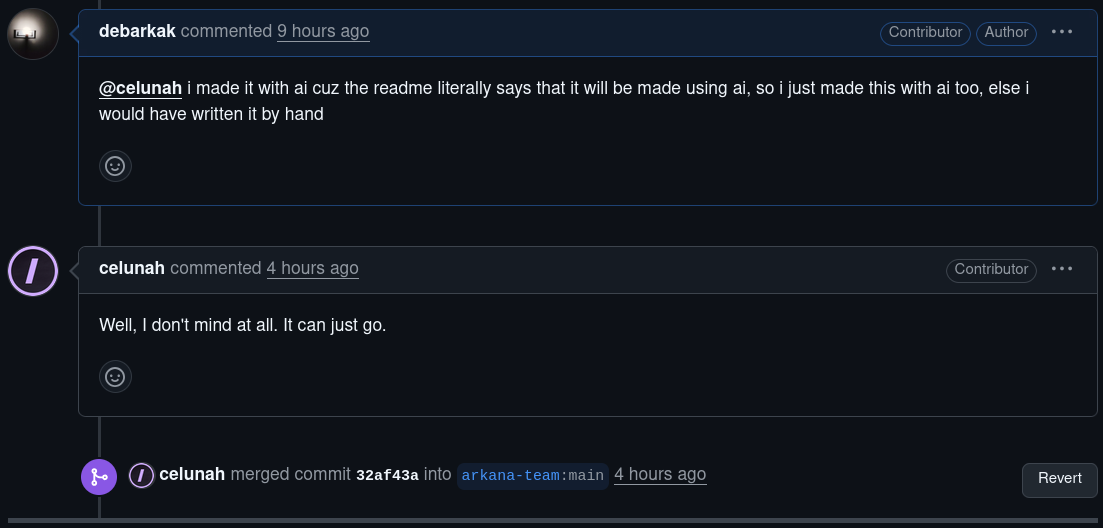
and my PR got merged—lol, that was too easy.
however, the thing is that because he was the solo dev of the OS, i asked him if i could contribute to the project while also learning lots of things about LFS, and he said Sure.
now it’s a linux from scratch-based distribution built by two people on the spectrum, 50% built using AI.
wow microsoft. (copy pasted from google)
and luna was like:
Congratulations we made cool s*** and we are both autistic lol
i think my psycologist will be proud. maybe. lol.
anyways, i did get invited to the organization on github, cuz i am now a contributor, which is pretty cool:
https://github.com/arkana-team
i will start working on it soon and update you guys on how it goes in later blog posts.
for now, goodnight. (at the time i am writing this, it’s almost 3:30am, trying to fight the mosquitoes cuz i live in India) zzzzz